Your Spending Score
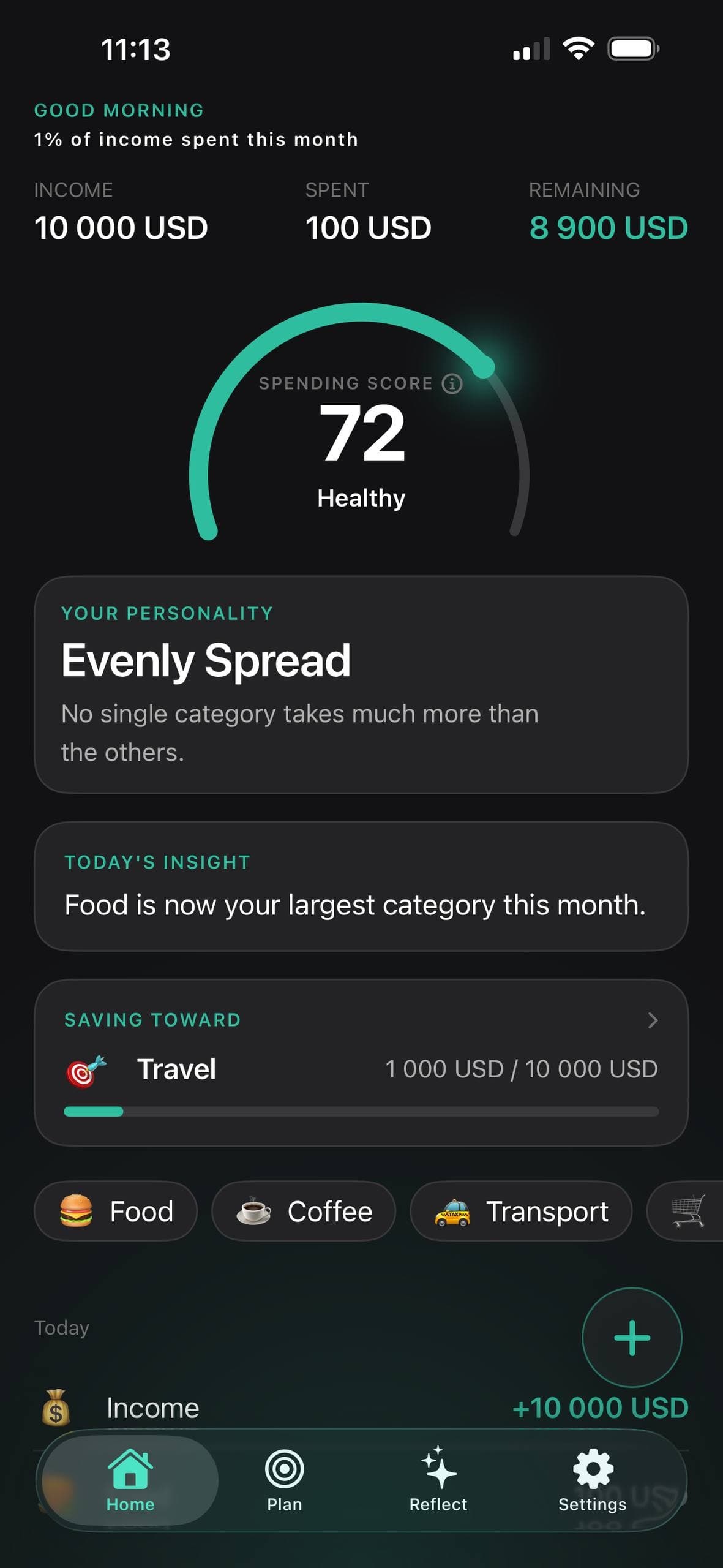
A number out of 100, read from your last thirty days rather than from yesterday. It sits still when nothing has really changed and moves when it has — a habit gauge, not a mood ring.
See how you really spend. A calm, private place to understand your habits — and what they say about you.
Mirror asks for one thing and gives back three. There is no budget to design and no spreadsheet to keep up with before you are allowed to begin — sign in with Apple, and start.
Amount, category, save. No bank login and no receipts to scan — you type it, which is exactly why none of it has to leave your phone.
A score out of 100, a personality drawn from the categories carrying your month, and one plain observation on the home screen when there is something to say.
A card story on the month you had, with a written reflection to go with it. Save one card, share it, or just close the whole thing.
You log what you spend in a few seconds. Mirror does the rest — a score, a personality, a monthly story — and leaves the judgment out.
A number out of 100, read from your last thirty days rather than from yesterday. It sits still when nothing has really changed and moves when it has — a habit gauge, not a mood ring.
Evenly Spread, and others. Mirror names the shape of your month from the categories that actually carry it, and shows how confident it is instead of pretending to be sure.
Up to twelve cards — the score, your top category, the biggest improvement, what is worth noticing. You get the ones your month earned, not twelve padded out to look full.
The home screen carries a single plain observation: “Food is now your largest category this month.” One. Not a feed, not a streak, not a red number demanding attention.
See where one of your categories sits against households of your age and income, using public US survey data that ships inside the app. It runs on your phone — nothing is uploaded. Available for spending in US dollars; elsewhere it stays hidden rather than guessing.
Your entries live on your iPhone and sync through your own iCloud, in a database we cannot read. No ad network, no data brokers, no profile to sell.
When a week or a month is finished, Mirror writes you a paragraph about it instead of filling in a template. Those are marked AI in the app, so you always know which sentences came from a model and which were composed on your device.
Not for you? Settings → Privacy → AI Reflections, off. Mirror then writes them on your device instead. The Privacy Policy lists the summary field by field.
Strong Month
You made 5 purchases across 5 different categories over the month. Transport and coffee together made up more than half of what you spent. Your spending score rose 13 points.
+13Score increased to 83
An actual reflection from the app, not a mock-up.
Five screens, in the order you meet them. Nothing here is a mockup — these are captures from the app.
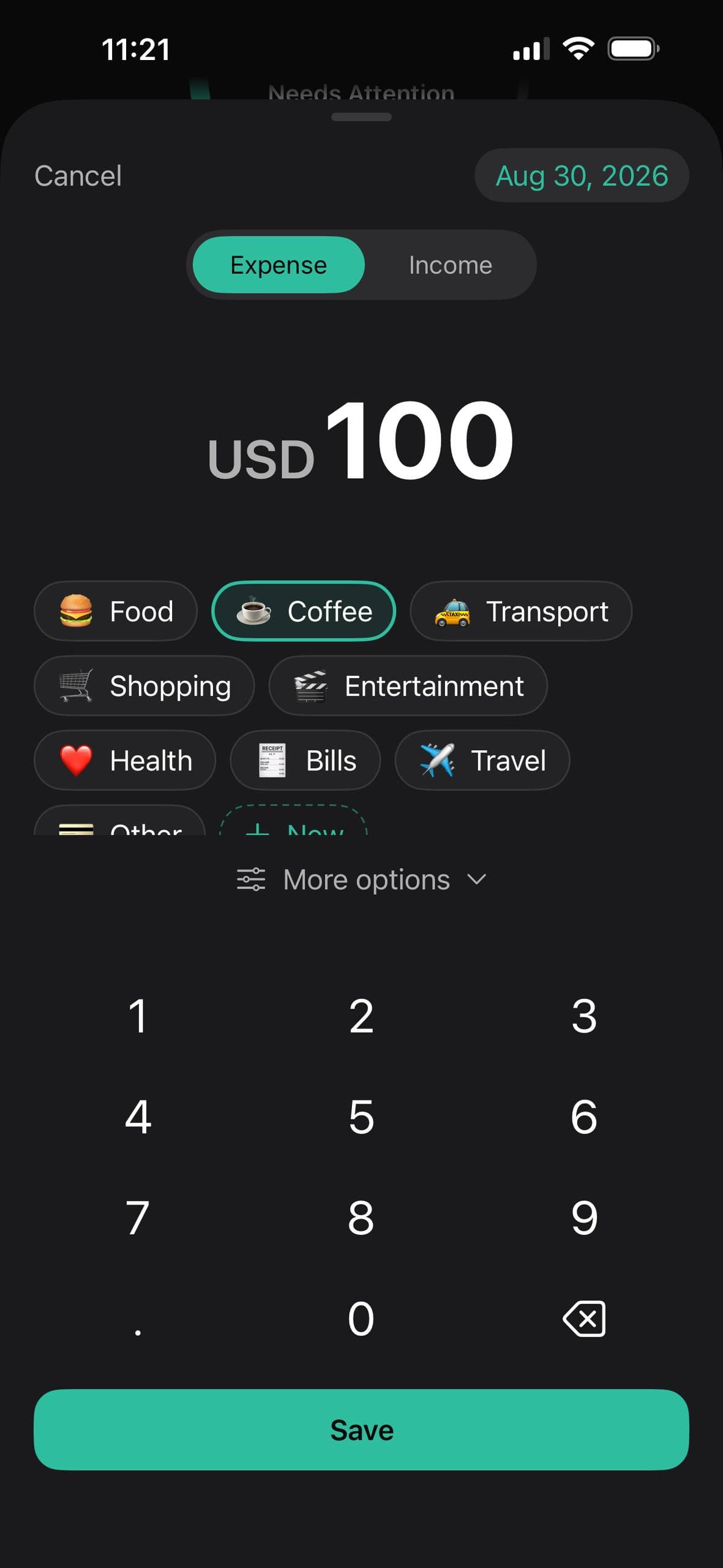
Amount, category, save. About five seconds — you type it, no bank connection involved.
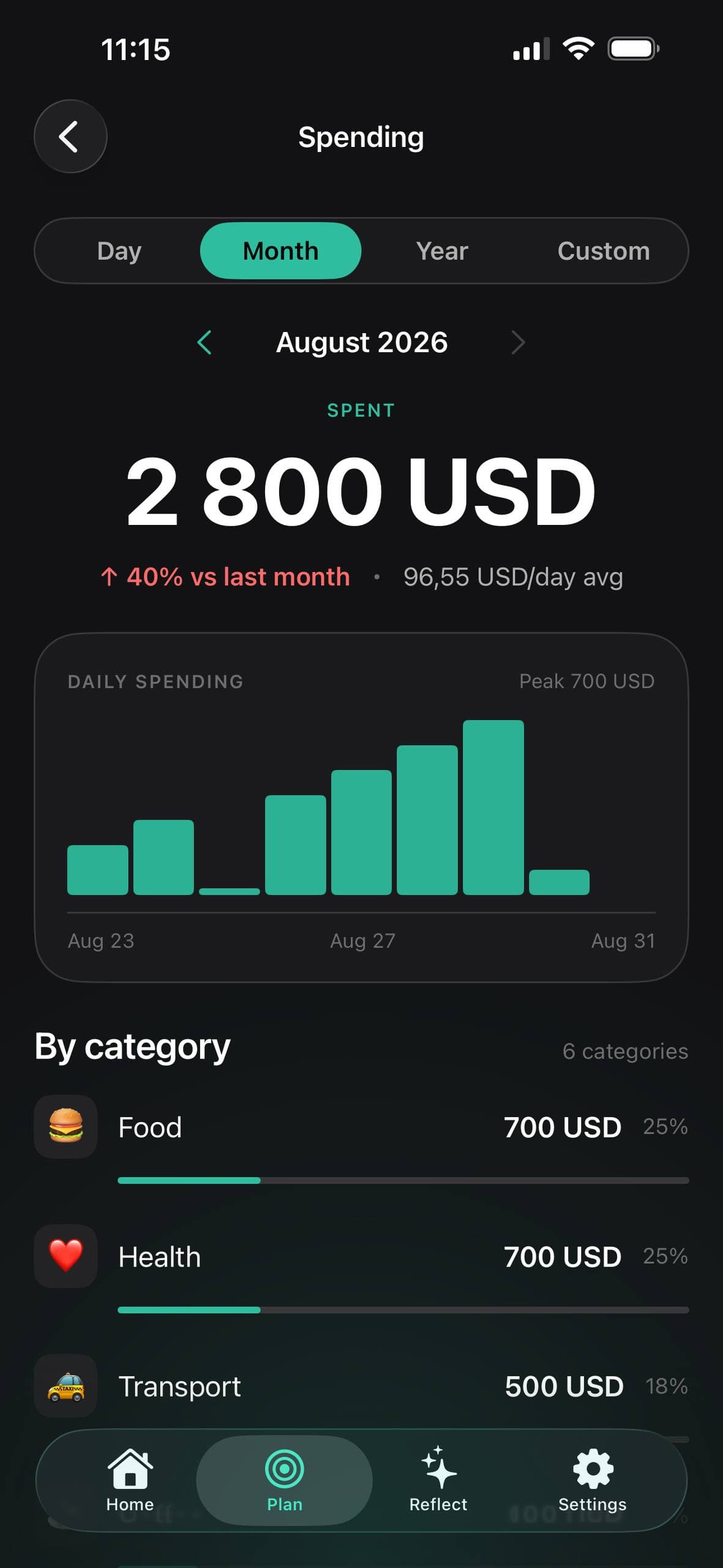
Daily bars, category shares, and how the month sits against the one before it.
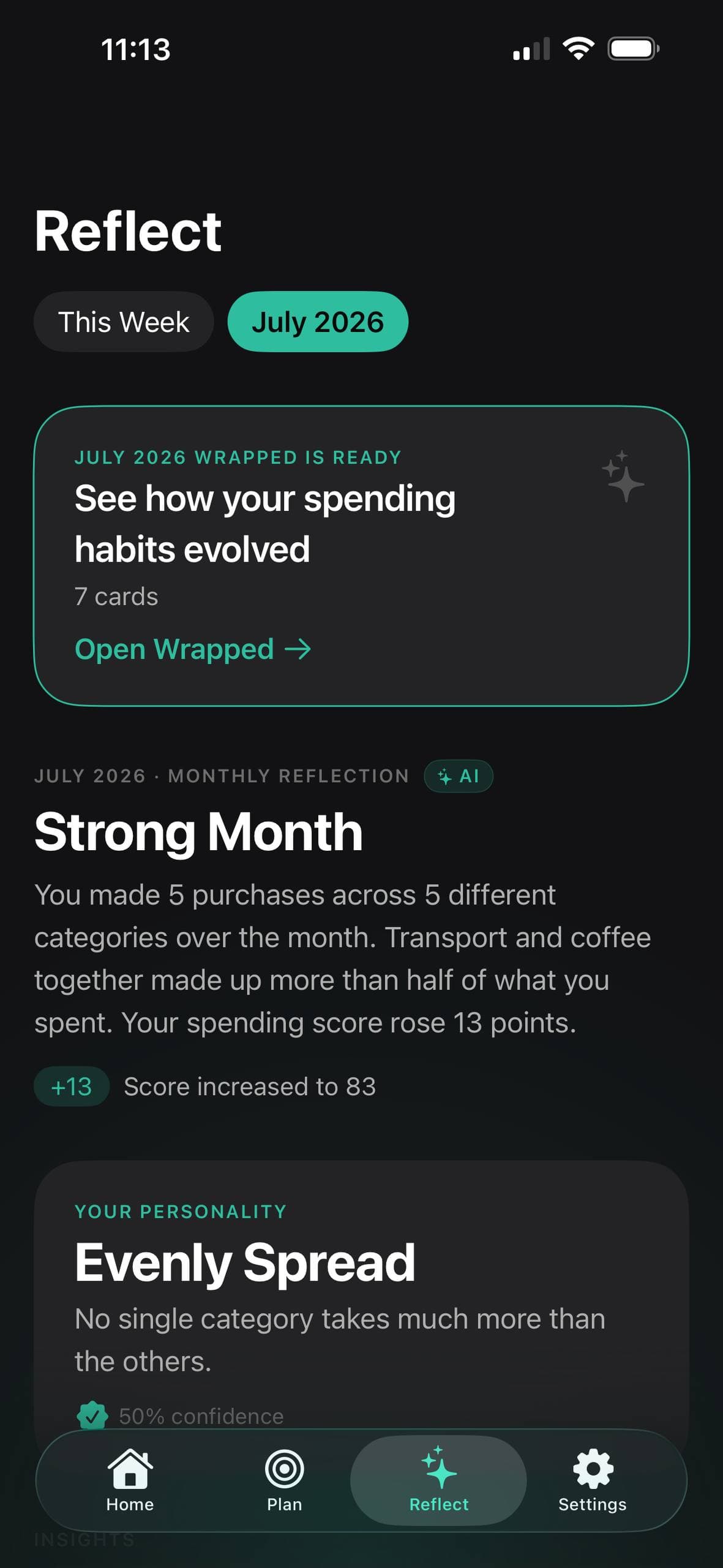
A written summary of the period. The ones marked AI are generated; the rest are composed on your device.
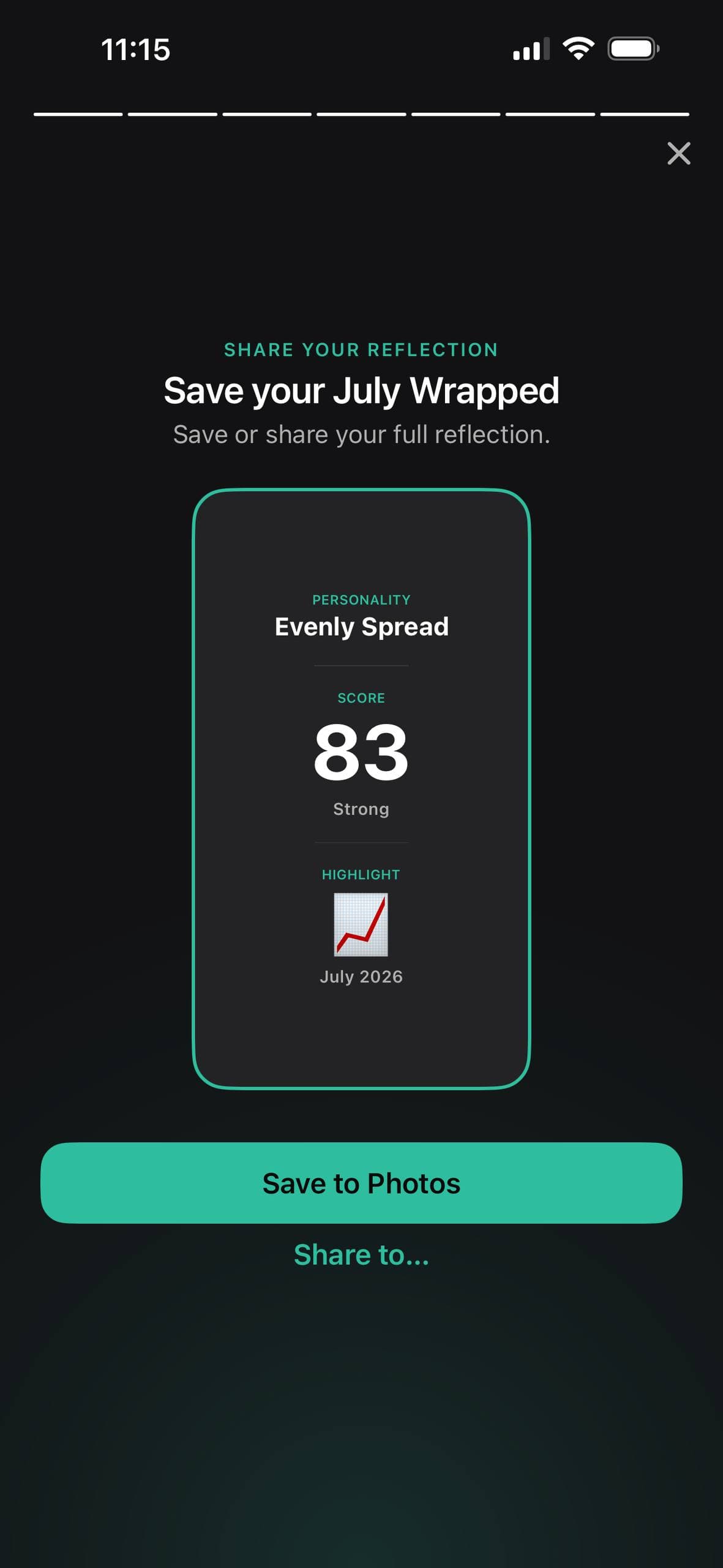
At the end of a month, a card story you can save to Photos or share — or just close.
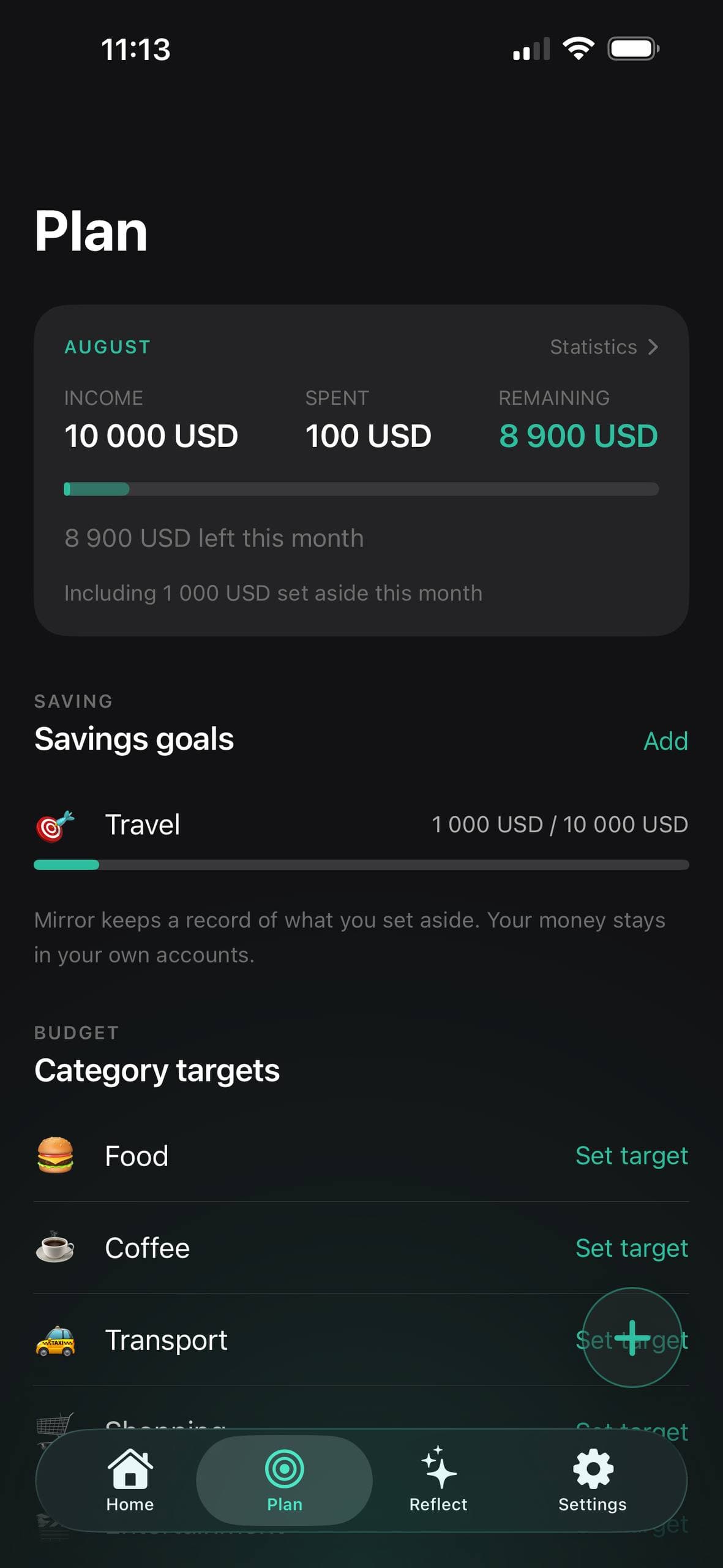
Category targets and savings goals. Mirror keeps the record; your money stays in your own accounts.
Mirror is a paid app — there is no free tier beyond the trial. Start on the annual plan and you get 7 days free; cancel before they are up and nothing is charged.
$39.99per year
Free for 7 days, then $39.99 a year. Cancel before it ends and you are not charged.
$4.99per month
Billed monthly. No free trial on this plan.
Prices are in USD and vary by region — the App Store shows your local price before you buy. Payment is charged to your Apple ID at confirmation of purchase, and subscriptions renew automatically unless cancelled at least 24 hours before the period ends. Manage or cancel anytime in your Apple ID settings. Full details in the Terms of Use.
Your spending lives on your iPhone and syncs only through your own iCloud. Mirror has no ad network and no data brokers — there is nothing to sell, by design.
Mirror is built by one developer in Ukraine. The privacy policy names me rather than a company, and the support address reaches me and no one else.